Time
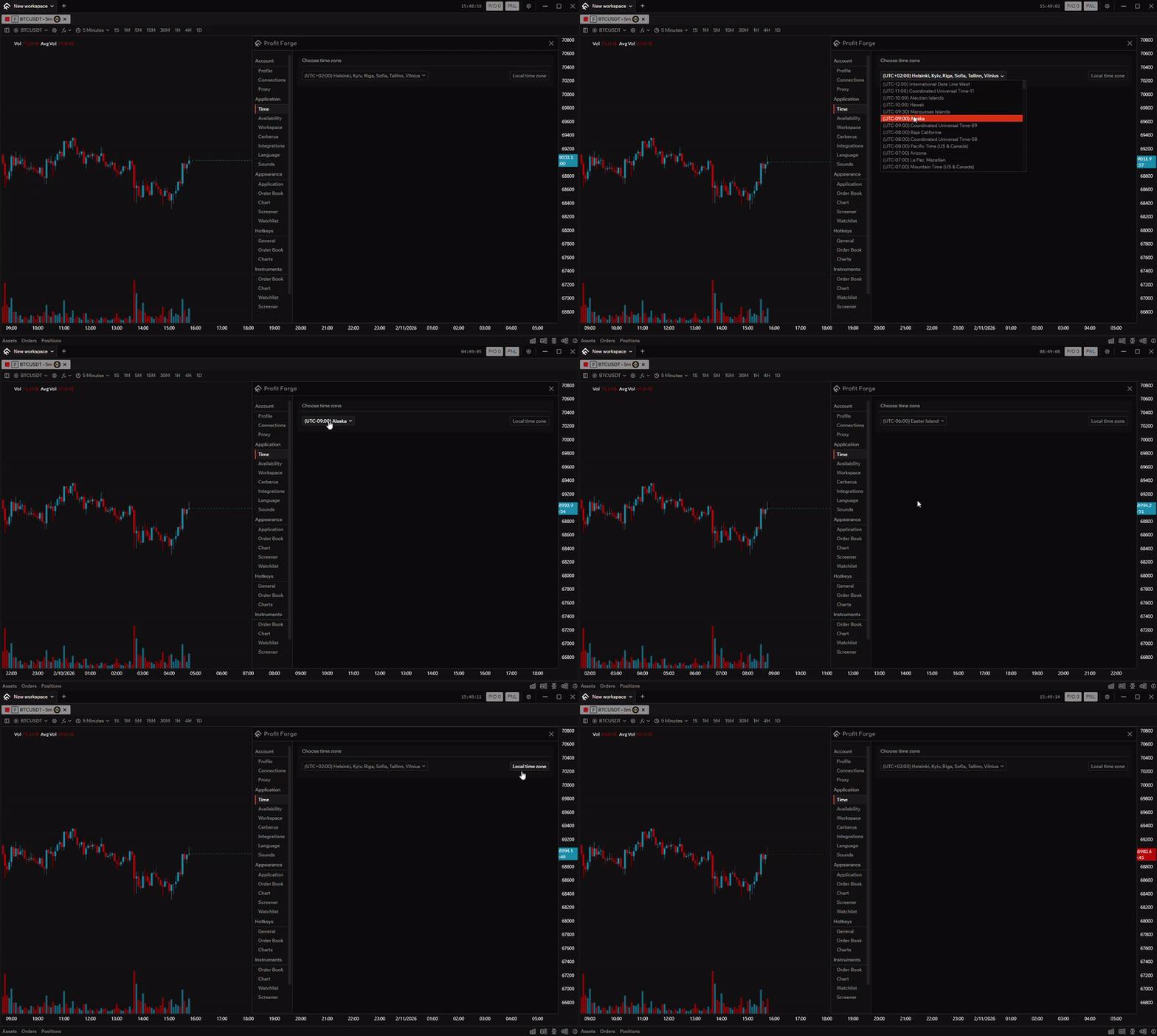
In Application → Time you can set the timezone used across the app. You can either pick a custom timezone from the dropdown or use Local time zone to apply your system timezone in one click. This makes sure the time shown in the app matches the zone you work in.
Why it matters
The selected timezone affects:
- Title bar — the current time in the top-right of the application window is shown in your chosen timezone.
- Chart X-axis — time labels on the horizontal axis of trading charts use the same timezone, so candles and bars align with the time you expect.
How to set it
- Open settings and go to Time (under Application).
- Custom timezone: open the Choose time zone dropdown and select a timezone (e.g. UTC+02:00 Helsinki, Kyiv, Riga…).
- Local timezone: click Local time zone to use your system's timezone immediately.
After changing the timezone, the title bar time and the chart X-axis update to the new zone.