Profit and Loss
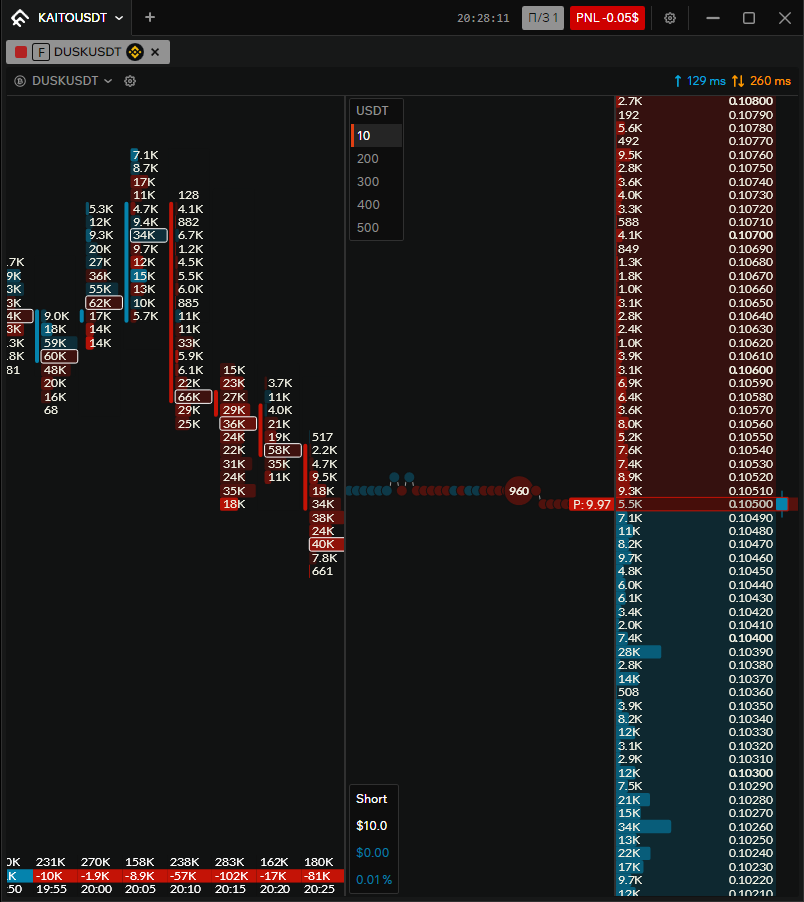
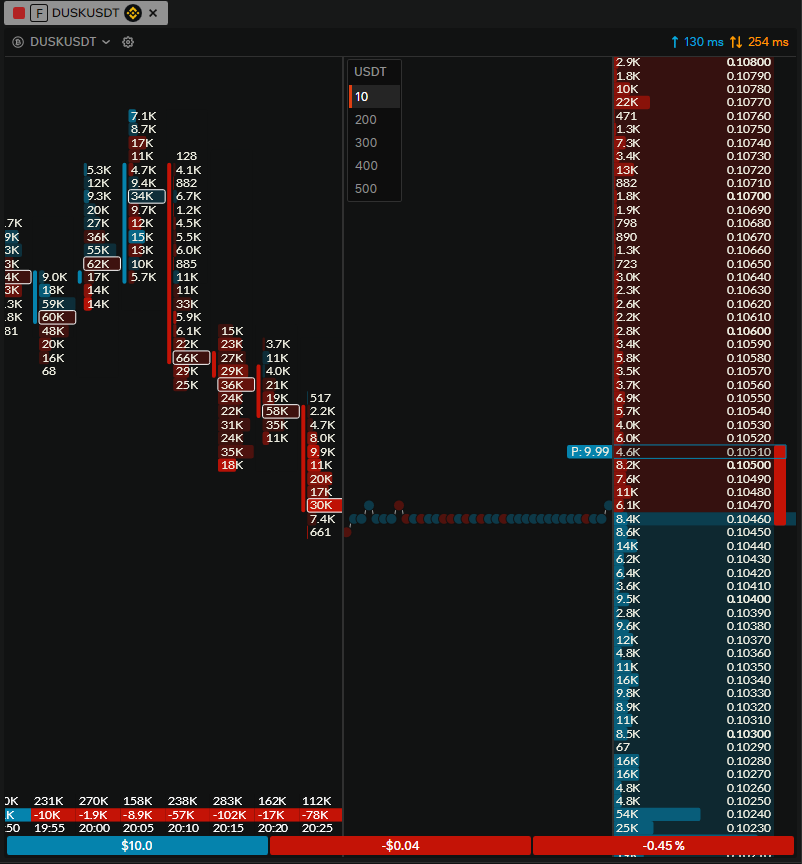
When a position is open, the order book shows where the position was opened, the current profit or loss in dollars and in percent, and the position size. This information is shown in two possible ways.
Row display
In the row variant, a single row shows from left to right: position size, profit or loss in dollars, and profit or loss in percent. Cell backgrounds depend on direction and P&L:
- Left cell (position size): blue for a long position, red for a short position.
- Middle and right cells (P&L in $ and %): blue for profit, red for loss.
Panel display
In the panel variant, the information appears at the bottom left in the tick zone. It shows:
- Position direction — the word "Short" or "Long".
- Position size — in neutral text color.
- Profit or loss in dollars and in percent — text color changes with P&L (e.g. blue for profit, red for loss).