
Integrations
The Integrations tab (in settings, under Application) controls two independent features on one screen:
- Integration server — local WebSocket: scripts, sites, and apps on your PC can control the terminal (opening instrument sets, link colors, notifications, ping).
- MCP server — optional local HTTP (Model Context Protocol): compatible AI assistants invoke read-only tools (quotes, order book, candles, screener data, funding, etc.). Orders are not placed through MCP.
Sync: the Enable integrations flag is part of normal profile configuration and syncs with your account. MCP enable + bearer token are stored only on this device (local app data), not sent to the cloud.
Integration server
Used for integration via Public API over WebSocket: JSON messages with a method field to ws://127.0.0.1:49152.
Capabilities
- Open a new instrument set (
open,open_aggregated) or change the linked symbol for a link color (assign). - Send a notification (
notify) and check connectivity (ping).
Full contract — Public API — WebSocket overview, enums — Reference (exchanges, market_type, linking_type, symbol format).
Connection point
| URL | ws://127.0.0.1:49152 |
| Access | Loopback only; ProfitForge does not expose the port to the internet. |
| Port | Default 49152. If the port is busy at startup, the app may try once to re-bind; otherwise the server will not start — check the log and free the port. |
How to enable
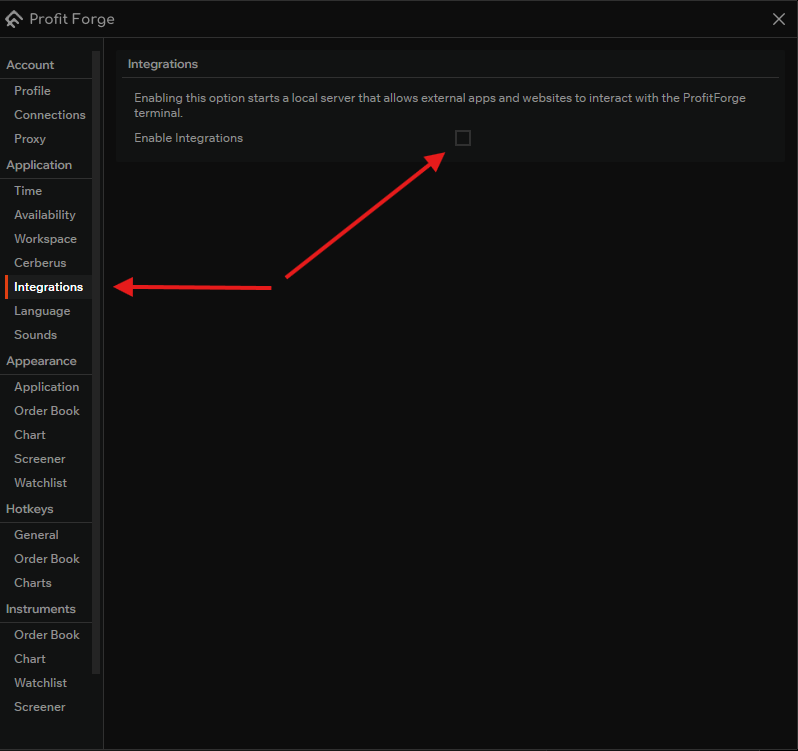
- Settings → Application → Integrations.
- Under Integration server, turn on Enable integrations.
The WebSocket server runs while ProfitForge is running and this option is on. Turn it off if nothing should connect.
Message format (short)
- Request: JSON with at least
"method": "<name>"; other fields depend on the method. - Success:
{"status":"ok"} - Error:
{"status":"error","error_code":<number>,"message":"..."}— full list of codes in Reference (1000–1008: invalid JSON, missingmethod, unknown method, validation errors, workspace errors, etc.).
Methods (short)
| Method | Purpose |
|---|---|
| assign | Change the linked symbol for a color — does not open a new set by itself. |
| open | Open a new set (one exchange / symbol); optional linking_type like the watchlist. |
| open_aggregated | Aggregated set for one display symbol across exchanges; optional title / extra.title. |
notify | Notification (title, message). |
ping | Connectivity check. |
assign and open: assign — when you need to change the symbol in an already used link slot; open / open_aggregated — to create a new set. Not a required two-step chain.
MCP server
Use when an MCP client (IDE assistant, mcp-remote, etc.) should get market context through tools, not through the WebSocket API above.
Relation to the integration server
| Integration server | MCP server | |
|---|---|---|
| Transport | WebSocket | HTTP (Streamable MCP, path /mcp) |
| Typical use | Your code controls the terminal UI | Agent requests data (read-only tools) |
| Toggle | Enable integrations | Allow local MCP server |
| Authorization | (localhost is enough) | Authorization: Bearer <token> required |
Toggles are independent — you can enable either or both separately.
How to enable (settings)
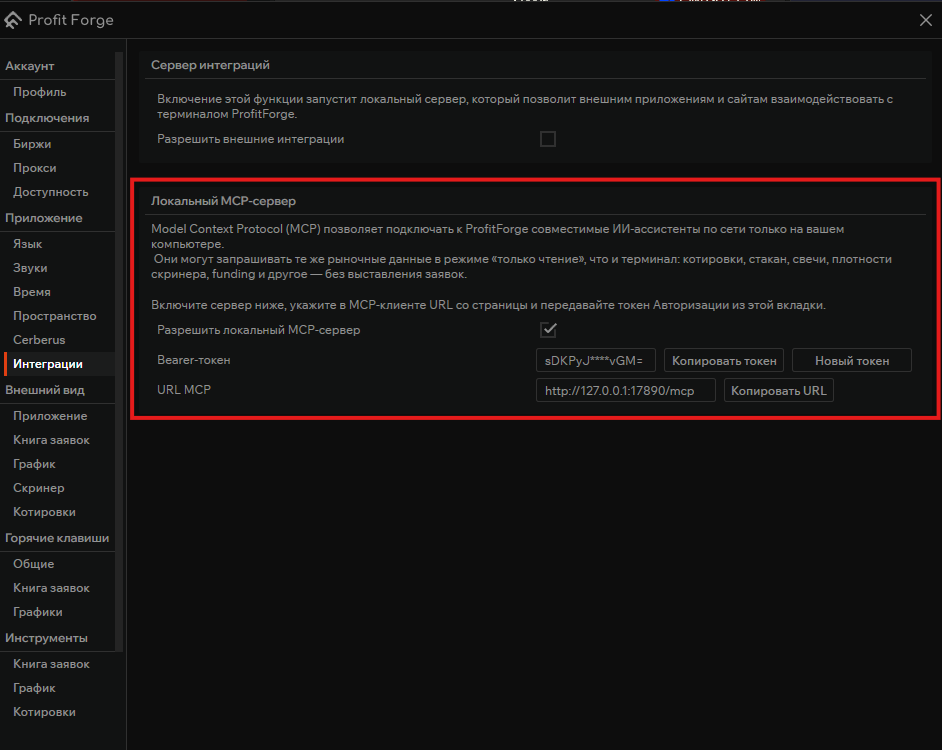
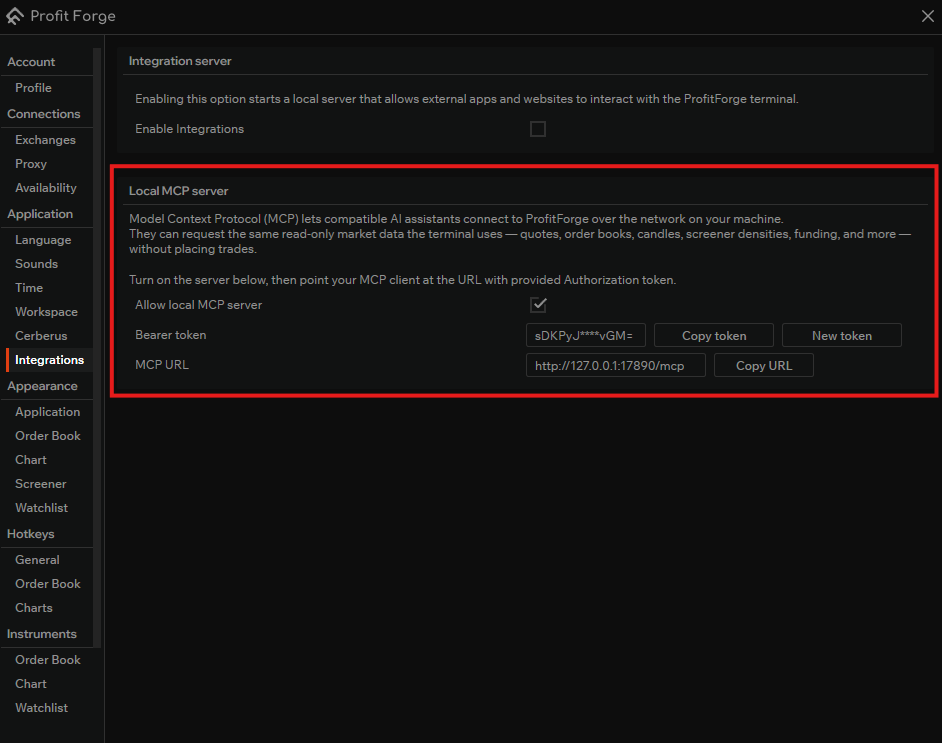
- Application → Integrations → Local MCP server → Allow local MCP server.
- Copy MCP URL (fixed:
http://127.0.0.1:17890/mcp). Prefer127.0.0.1overlocalhostif the client goes IPv6-only. - Full secret — Copy token button; the field shows a mask only.
- New token — rotation; update all clients immediately.
Russian UI
English UI
Protocol documentation
Details: MCP server (Public API).